
iPhone · iPad Home Hub · Web

Everything that matters, at a glance.

Lumi is a calm household hub for the whole family. Calendar, tasks, shopping, the chore plan, documents and your pets live in one shared place — quiet, warm, and quick to use.

Sign in with Apple Hosted in the EU No ads, no tracking

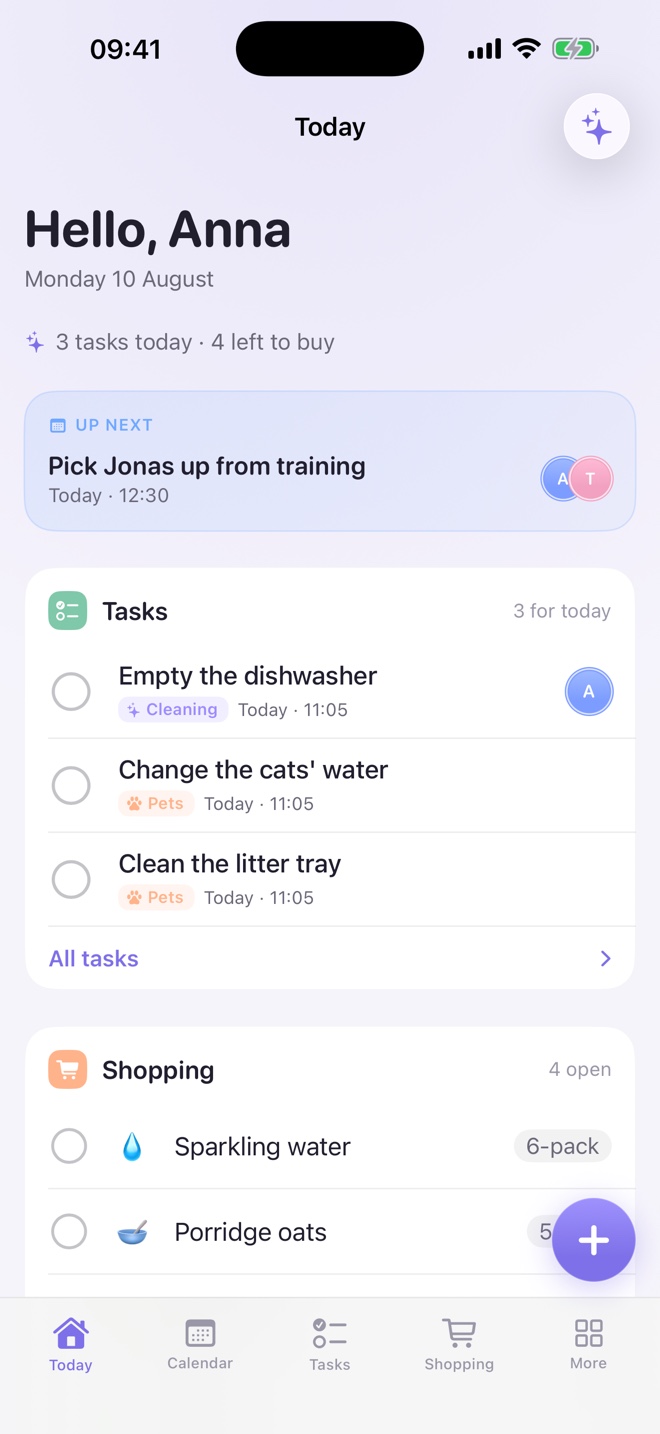
Lumi on iPhone — the Today screen with what's next, open tasks and the shopping list

Inside the app

Nine screens, one household.

Real screenshots from a real household — nothing mocked up. Tap any of them to look closer.

Drag, swipe or use the arrows

Today
Tasks
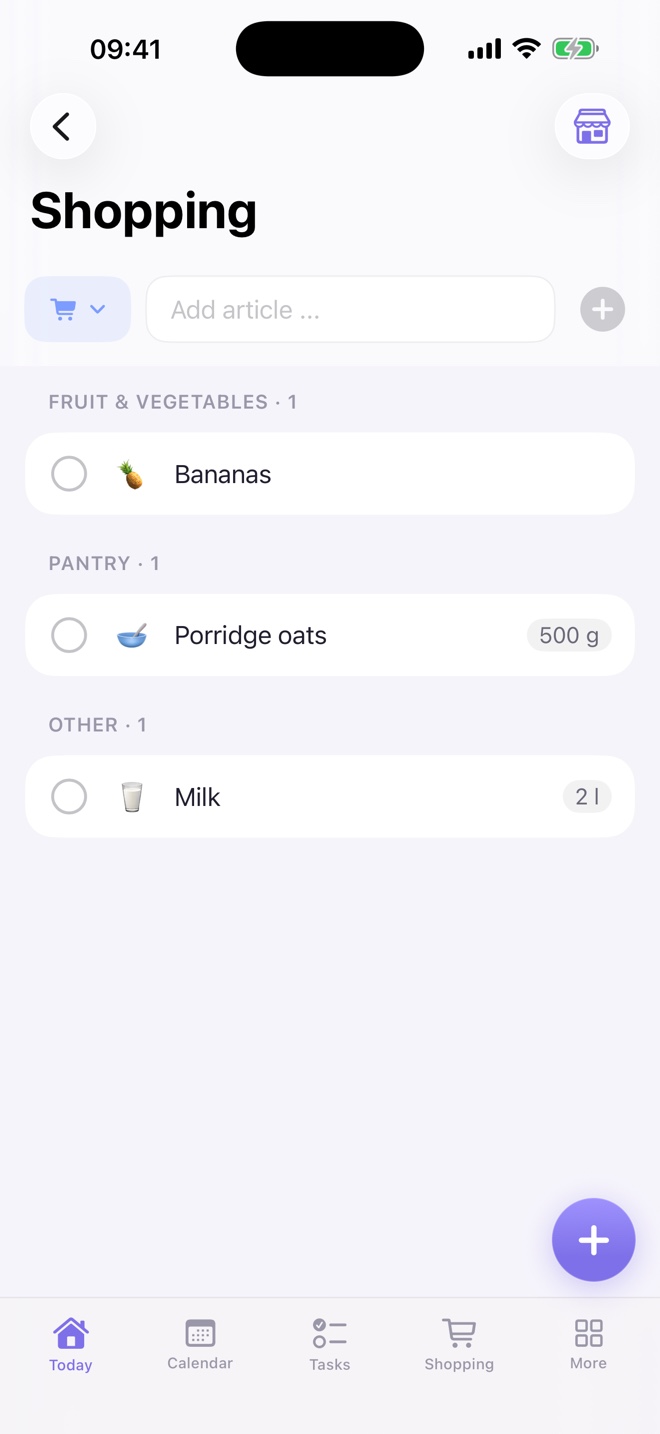
Shopping
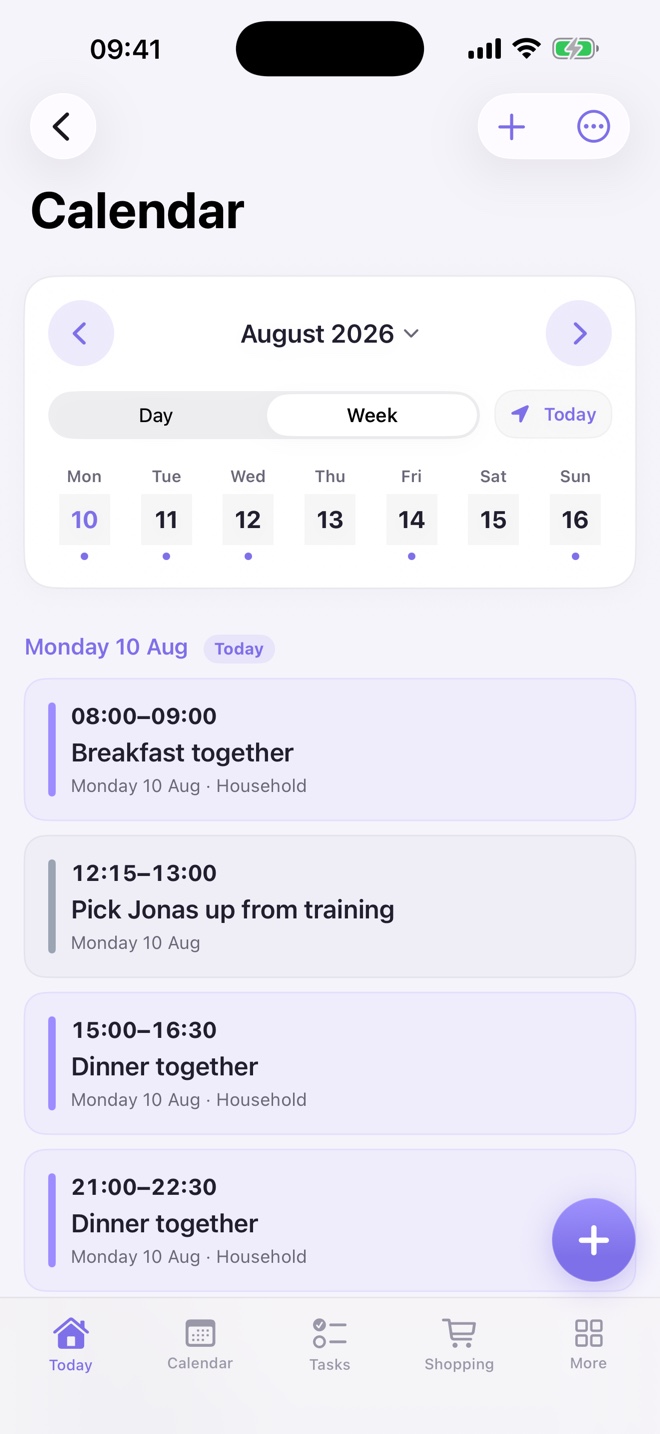
Calendar
Documents
Chore plan
Pets
Mailbox
Lumi Chat

What Lumi solves

Seven everyday frictions, handled.

Running a household is rarely one big problem. It's a dozen small ones that quietly land on the same person. Each one below is shown twice: the way it feels, and the screen that answers it.

A person standing in a kitchen holding a broom
The friction

One person in the household does almost everything. The others genuinely don't notice — because nobody can see the work in the first place.

Tasks

Everyone can see who carries what

Tasks are written down, assigned and visible to all members. What got done, by whom, and what is still open stops being a matter of memory or mood. Transparency does most of the fairness on its own.

Assigned to a personVisible to everyoneNo nagging
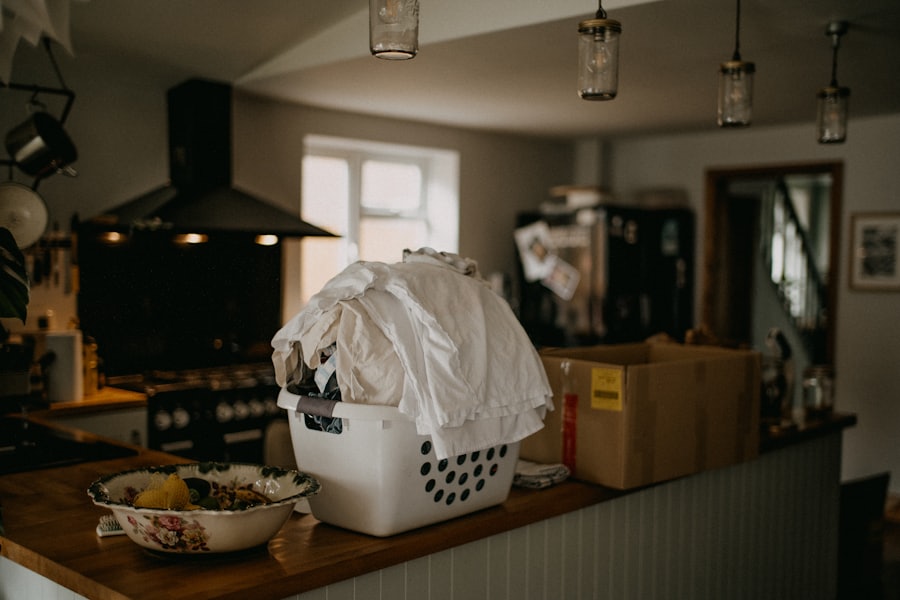
A laundry basket on a wooden counter
The friction

Descaling the kettle, changing the bed linen, cleaning the filter. Nobody forgets these on purpose — they just fall out of view for weeks.

Chore plan

Recurring chores come back by themselves

Set an interval once per room or chore. Lumi brings it back when it's due, as a normal task, and keeps the long rhythm of the household without anyone having to hold it in their head.

Per roomCustom intervalsDue when it's due
A family sitting together at home
The friction

Training, parents' evening, the vet, a birthday party, two shifts. Four people, four calendars, and the same question every evening.

Calendar

One calendar for a family of four

All family appointments come together in one shared view, with the person they belong to. Personal calendars can be layered in read-only, so nothing has to be copied over by hand.

Day & week viewPer personExternal calendars
A person holding a shopping basket in a supermarket
The friction

The list lives on a note in the kitchen, or in someone's head. Whoever ends up in the shop remembers three of the six things.

Shopping list

Whoever shops, shops for everyone

Everyone adds to the same list the moment something runs out. It's on every phone, so it doesn't matter who happens to pass the supermarket — everybody is in the basket.

Add in secondsShared liveCheck off on the go
A row of colored binders on a shelf
The friction

Insurance, tenancy, warranties, the boiler service. A wall of binders and five thousand documents, and the one you need is never in the one you open.

Documents & contracts

The folder shelf, without the folder shelf

Household documents live in one private place, with categories, tags and contract data. Notice periods and deadlines turn into gentle reminders instead of an unpleasant surprise.

Categories & tagsDeadline remindersAI search in the AI plan
Stacks of paper documents and file folders
The friction

The letter about the rent increase goes to one inbox. Everyone else finds out three weeks later, if at all.

Mail integration

A postbox for the household, not one per person

Connect a mailbox and household post arrives where the household already is. Everyone sees what's going on, and an attachment can be filed straight into documents. Requires an Outlook account.

Shared visibilityFile attachments directlyOutlook account
A tabby cat sitting beside a brown and white dog
The friction

Feeding, walks, litter, worming, the next vaccination, the vet's number. It's a second small household inside the household.

Pets

The small companions have obligations too

Dogs and cats get their own profile with daily care tasks and basic health data: weight, treatments, vet details and appointments. Everything in one place, for whoever is home.

Dog & cat profilesDaily care tasksHealth & weight

Also in Lumi

Every module can be switched on or off per household, so Lumi stays as small or as complete as your family wants it.

People, roles & invitation keys iPad Home Hub Modules on or off per household Themes & backgrounds Lumi Chat in the AI plan

iPad Home Hub

A screen on the wall that keeps the household calm.

Mount an iPad in the hallway or kitchen and Lumi becomes the family's ambient dashboard: today's appointments, open tasks, the shopping list and the chore plan, refreshed every 30 seconds.

Adaptive card grid with persistent bottom navigation
Focus mode and ambient backgrounds for low glare
Auto-refresh, so the wall display is always current

Themes

Five themes, six backgrounds, per device.

Pick the mood that fits the room. Every theme is light- and dark-aware, and the choice is stored per device — the kitchen iPad can stay dim while your iPhone stays bright.

Calm Lavender

Warm, calm, premium violet

Sage Home

Natural, grounded, household-friendly

Nordic Blue

Clean, premium, slightly cooler

Peach Morning

Warm, friendly, light morning dopamine

Graphite Calm

Dark, premium, low glare

AI plan

Lumi Chat — ask your household anything.

Talk to Lumi in plain language. It reads only your own household: tasks, appointments, the shopping list, contracts and deadlines. Ask what's due, add three things at once, or find that insurance document.

It searches inside your documents

Ask about the contents of your stored contracts, invoices and letters — notice periods, amounts, dates. Lumi finds the passage and points you to the document it came from, instead of leaving you to scroll through PDFs.

Included in the AI plan. Household content stays scoped to your household and is never placed in a shared index.

What do we still need before the weekend?

Four things on the shopping list, the bathroom is due in the chore plan, and Mila's vet appointment is Thursday at 08:30. Want me to move the chore to Saturday?

What's the notice period in our internet contract?

Three months to the end of the term, so 30 September. Found in Internet_Vertrag.pdf, page 2.

Pricing

Try Plus free for 14 days.

One subscription covers the whole household. Monthly or yearly billing, cancel anytime.

14 days of Plus, free for new users.

Basic

Start here

€0,99per month · €9,99 per year

The everyday basics for a small household.

  • Up to 2 household members
  • Tasks (limited)
  • Shopping list
  • Calendar basics
  • iPad Home Hub preview
  • 1 pet profile
  • 1–2 themes
Download Lumi

AI

With Lumi Chat

€7,99per month · €79,99 per year

Everything in Plus, plus your household assistant.

  • Everything in Plus
  • Lumi Chat for the household
  • Search inside your documents and contracts
  • Ask about tasks, dates and deadlines
  • Add and change things by chatting
  • Household-scoped answers only
Get AI

Compare plans

* Fair-use limits apply to unlimited household members.

FeatureBasicPlusAI
Household membersup to 2unlimited*unlimited*
Taskslimited✓✓
Shopping list✓✓✓
Calendarbasics only✓✓
iPad Home Hubpreview✓✓
Chore plan–✓✓
Documents & contracts–✓✓
Reminders & deadlines–✓✓
Mail integration–✓✓
Pet module (dog & cat)1 profile✓✓
Themes & personalisation1–2✓✓
Lumi Chat––✓
Document search with AI––✓

Privacy & hosting

Your household stays your household.

One household is one tenant. Every request is authorised through household membership, so content never crosses between families.

Sign in with Apple

No extra password. Verified against Apple, with short-lived tokens and revocable sessions.

Hosted in the EU

Runs on Microsoft Azure in European regions, with private document storage.

No ads, no tracking

Lumi has no advertising and no third-party analytics following you around.

Never sold

Your household data is not sold or shared. It exists to run your household, nothing else.

Bring the household into one calm place.

New users get 14 days of Plus for free. Sign in with Apple and invite the family with one key.